


Via WhatsApp:
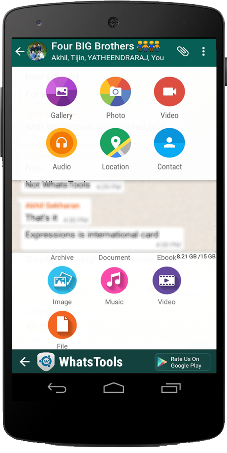
Any File Type:
Share any type of file Archives, Docs, EBooks, Music, Images, Gif Videos of up to 1 GB via any Instant messaging app installed in your phone.
Up To 1GB:
Many of the IM's have restriction on size of file sending (16MB) whereas WhatsTools allows you to send files of up to 1 GB to any of your instant messaging app's contact.
Pausing/Resuming:
Uploading and downloading can be paused as well as resumed. In case of a network failure, you will be able to resume the upload/download without losing the current progress.
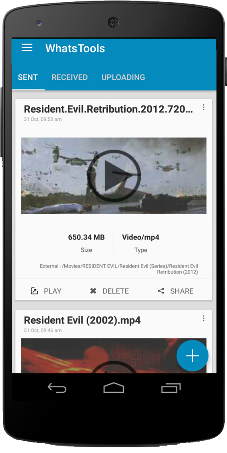 Preview video before downloading:
 Thumbnails of video at different durations can be previewed before downloading the actual video which will help you decide whether to download the video.
Cross-Platform:
Send file to IPhone, Windows Phone & Blackberry. If the receiver is on another platform, the link will be opened in the browser and the user can download file from the webpage.
Share to Anywhere:
File sharing is not limited to SMS or IM's. You can copy the download link and share it anywhere through SMS, Email or Social Media Platforms. Anyone with the link can download the file from any platform using a browser.
Peace of mind:
All data is guarded behind HTTPS/SSL encryption. We connect to your Google Drive™ with your permission to transfer your files. You can view & manage these files from your Google™ drive as well.
Inbuilt Media Support:
WhatsTools support playing of GIF and Music files within the app itself. The app has inbuilt Video player as well for common video formats.
Initial Setup
1. Enable Accessibility Service.2. Connect to your Google™ Drive.
3. That's it. Start sharing files.
Note:-
➤ Sending virus/malicious files are against the terms of service of Google™ Drive. If file is infected, the receiver wont be able to download it.
➤App have non-intrusive ads. So no annoying pop-up and full-screen ads.
➤ Sending virus/malicious files are against the terms of service of Google™ Drive. If file is infected, the receiver wont be able to download it.
➤App have non-intrusive ads. So no annoying pop-up and full-screen ads.
It's an *Unofficial App - they have no relationship with any Messenger apps and its related trademarks in any manner. This application is not endorsed by or affiliated with any other Instant messaging apps. Their name, trademark, and other aspects of the other apps are trademarked and owned by their respective owners.*
Kindly give your valuable feedback. Please reach at support@whatstools.com in case of any bugs.They are working hard to make your experience better. You can also get in touch throgh +91-9061641149.


